
ARP or Address Resolution Protocol, is the mapping of Internet Protocol (IP Address) address to the device hardware (MAC Address) address. This is probably better known to network admins for being used by network switches in the link layer ( ARP Tables).
Several operating systems provide tools to interrogate the data. In Microsoft Windows OS, the tool can be accessed via command line and the application is called “arp”.
More Info
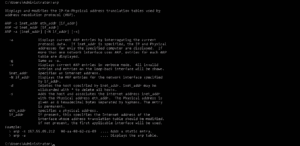
At the command prompt i ran this command – “arp -?” and this is was the result:
Displays and modifies the IP-to-Physical address translation tables used by
address resolution protocol (ARP).
ARP -s inet_addr eth_addr [if_addr]
ARP -d inet_addr [if_addr]
ARP -a [inet_addr] [-N if_addr] [-v]
-a Displays current ARP entries by interrogating the current
protocol data. If inet_addr is specified, the IP and Physical
addresses for only the specified computer are displayed. If
more than one network interface uses ARP, entries for each ARP
table are displayed.
-g Same as -a.
-v Displays current ARP entries in verbose mode. All invalid
entries and entries on the loop-back interface will be shown.
inet_addr Specifies an internet address.
-N if_addr Displays the ARP entries for the network interface specified
by if_addr.
-d Deletes the host specified by inet_addr. inet_addr may be
wildcarded with * to delete all hosts.
-s Adds the host and associates the Internet address inet_addr
with the Physical address eth_addr. The Physical address is
given as 6 hexadecimal bytes separated by hyphens. The entry
is permanent.
eth_addr Specifies a physical address.
if_addr If present, this specifies the Internet address of the
interface whose address translation table should be modified.
If not present, the first applicable interface will be used.
Example:
> arp -s 157.55.85.212 00-aa-00-62-c6-09 …. Adds a static entry.
> arp -a


