
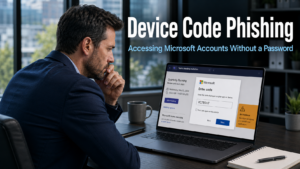
Device code phishing is a sophisticated attack that Microsoft has recently flagged as a growing threat to businesses. What makes it particularly concerning is the central feature that sets it apart from most phishing scams: attackers do not need your password. They do not need to trick your team into typing credentials into a fake website. Instead, they convince someone to hand over access voluntarily, through a process that looks entirely legitimate.
What Device Code Phishing Is and How It Works
To understand device code phishing, it helps to know that Microsoft uses a legitimate login method called device code flow. This is designed for situations where a device cannot display a browser, such as a smart TV or certain business applications. The user visits a Microsoft page on a separate device, enters a short code, and the first device is authenticated.
Attackers have found a way to weaponise this process. Here is how the scam unfolds in practice.
The attack typically begins with a convincing email. It might appear to come from a colleague, a manager, or someone in HR, inviting the recipient to join a Microsoft Teams meeting. The email looks professional and the branding appears genuine. There is nothing immediately suspicious about it.
The recipient clicks the link and arrives at a real Microsoft login page. Nothing about the page looks wrong, because it is not fake. They are then prompted to enter a short code, supplied in the original email, and told it is required to join the meeting or complete the sign-in.
Here is the critical point. By entering that code, the recipient is not logging themselves in. They are logging the attacker in. The code was generated by the attacker on their own device, and entering it grants the attacker full access to the victim’s Microsoft account. The login goes through Microsoft’s own systems, which is precisely why it looks and feels legitimate.
Why Device Code Phishing Can Bypass Multi-Factor Authentication
Many businesses have invested in multi-factor authentication as a core security measure, and rightly so. Device code phishing presents a particular challenge because it can circumvent this protection in certain configurations.
Because the victim completes the authentication themselves on a real Microsoft page, the system treats the login as fully verified. Multi-factor authentication is designed to confirm that the person logging in is who they claim to be. In this attack, the victim genuinely completes that process. The problem is that in doing so, they are authenticating the attacker’s session rather than their own.
Furthermore, once the attacker has access, they may capture what is known as a session token. This is a digital credential that keeps a user logged in without requiring repeated authentication. If an attacker holds a session token, simply changing your password may not immediately remove their access. They remain logged in until the token expires or is explicitly revoked.
This makes the attack particularly damaging and harder to remediate than a conventional credential theft.
What Attackers Can Do Once They Have Access
With full access to a Microsoft account, an attacker has significant reach into a business. Email is the most immediate concern. They can read ongoing conversations, intercept communications, and gather intelligence about your business operations, clients, and financial activities.
They can access files stored in OneDrive and SharePoint. Depending on the permissions associated with the compromised account, they may be able to view or download sensitive documents including client records, contracts, and financial information.
Perhaps most damaging is the ability to use the compromised account to target others. A message sent from a genuine Microsoft account belonging to a known colleague is highly credible. Attackers use this position to send further device code phishing requests to other members of the same business, spreading access rapidly through an organisation.
For businesses in Eastbourne and across Sussex that rely on Microsoft 365 for daily operations, the implications of a compromised account are wide-ranging. Our article on business email compromise covers how attackers exploit trusted email accounts to manipulate staff and cause financial harm.
How to Protect Your Business From Device Code Phishing
Awareness is the first and most important protection. Your team needs to know that this type of attack exists and understand the specific warning sign it carries.
The clearest signal is this: a legitimate Microsoft login process will never involve someone else supplying you with a code to enter. If a code appears in an email and you are asked to enter it on a Microsoft login page, stop. Do not proceed until you have verified the request through a completely separate channel, such as a direct phone call to the person who appears to have sent the email.
Urgency in the request is a further warning sign. Attackers create time pressure to discourage careful thought. Any login request that emphasises speed or consequence for not acting immediately deserves extra scrutiny rather than a fast response.
On the technical side, your IT team or managed IT provider can review whether device code login flow is enabled across your Microsoft 365 environment. For most businesses, this authentication method is not required for day-to-day operations. Disabling it removes the attack vector entirely. Where it cannot be disabled, additional conditional access policies can restrict which devices and locations are permitted to complete this type of authentication.
If a device code phishing attack is suspected, act quickly. Contact your IT provider immediately. Session tokens may need to be revoked to remove attacker access, and this requires action beyond simply resetting a password. Our article on cyber attack recovery covers what the response process looks like and why speed matters.
Our cyber security page outlines how a structured approach to Microsoft 365 security helps businesses address emerging threats like this as they are identified.
The Importance of Ongoing Staff Awareness
Device code phishing succeeds because it is unfamiliar. Staff who have been trained to recognise traditional phishing emails may have no awareness that a login process itself can be weaponised. A team briefing on this specific attack, explaining what to look for and what to do, removes most of its power immediately.
This is a useful reminder that cyber security awareness is not a one-time exercise. New attack methods emerge regularly. The businesses that stay ahead are those that treat awareness as an ongoing commitment rather than a box to tick once a year. Our article on employee cyber security explores how to build this kind of sustained awareness culture across a business team effectively.
What This Means For Businesses
Device code phishing represents a meaningful escalation in the sophistication of attacks targeting Microsoft 365 users. It exploits legitimate Microsoft systems, bypasses conventional security expectations, and can persist beyond a password reset. These characteristics make it harder to detect and more damaging when it succeeds.
For business owners and directors, the practical response involves two things done in parallel. First, brief your team on this specific threat so that the warning sign is recognised. Second, ask whoever manages your Microsoft 365 environment to review whether device code authentication is enabled and whether it can be restricted or disabled.
Neither of these steps requires significant time or cost. Together, they close a gap that cyber criminals are actively exploiting in businesses across the UK right now. Our managed IT services include Microsoft 365 security reviews and ongoing threat awareness support for businesses across Sussex and the South East.
Final Thoughts
Device code phishing is a reminder that attackers continue to find creative ways to exploit the tools and processes businesses already trust. The attack is effective not because it uses a convincing fake, but because it uses the real thing in a way that most people have never encountered before.
Knowing the pattern is the primary defence. If a code arrives in an email and you are asked to enter it on a Microsoft login page, verify the request independently before doing anything else. That single habit prevents this attack from succeeding.
Device code phishing is a type of attack where criminals convince someone to enter a short code on a real Microsoft login page, which grants the attacker access to the victim’s Microsoft account. The code is generated by the attacker and supplied in a convincing email. Entering it authenticates the attacker’s device rather than the victim’s, without any password being handed over.
Because the victim completes the authentication process themselves on a genuine Microsoft page. Multi-factor authentication confirms that a real person is completing the login. In this attack, they are, but they are doing so on behalf of the attacker without realising it. The system cannot distinguish between the victim authenticating their own access and unknowingly authenticating someone else’s.
Not necessarily. If the attacker has captured a session token, they may remain logged in even after a password change. Session tokens keep accounts authenticated without requiring repeated login. Removing attacker access requires revoking active sessions, which your IT provider or Microsoft 365 administrator can do. This is why reporting the incident quickly is important.
The clearest warning sign is being supplied a code in an email and asked to enter it on a Microsoft login page. Genuine Microsoft authentication does not work this way. If you receive a code from someone else to enter during a login process, treat it as suspicious and verify the request directly with the sender through a separate channel before proceeding.
In many cases, yes. Device code login flow can be restricted or disabled through Microsoft 365 admin settings for businesses that do not require it for their daily operations. Conditional access policies can also limit where and how this type of authentication is permitted. Your IT provider or managed IT service can review your current configuration and make the appropriate changes.


