
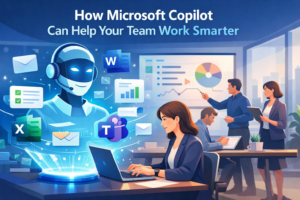
Imagine having a digital assistant that supports you throughout your working day. One that can help write documents, summarise meetings and organise information in seconds.
That is the idea behind Microsoft Copilot.
Copilot is an artificial intelligence tool built directly into Microsoft 365 applications such as Word, Excel, Outlook and Teams. Instead of being a separate programme you need to learn, it works within the software many businesses already rely on every day.
Because it is integrated into familiar tools, most people can start using it quickly. If your team already knows how to use Word or Outlook, getting started with Copilot feels natural.
AI support within the apps you already use
One of the biggest advantages of Copilot is that it fits into existing workflows.
There is no need to switch between multiple tools or learn completely new software. Copilot works alongside your everyday tasks, helping you complete them faster.
Whether you are writing a document, analysing spreadsheets or collaborating with colleagues, Copilot can assist by providing suggestions, summarising information or helping structure your work.
Because it operates within Microsoft 365, it can also work across different devices, allowing your team to stay productive whether they are at their desk, working remotely or travelling.
Reduce the time spent on everyday admin
Many business owners and employees spend a surprising amount of time on routine tasks. Reading long email threads, organising information or keeping track of meeting discussions can take up valuable time.
Copilot helps streamline these tasks.
For example, it can review lengthy email conversations and produce a quick summary, making it easier to understand the key points without reading every message. It can also suggest responses, helping you reply faster while keeping communication clear and professional.
These small time savings can quickly add up across a working week.
Better meeting notes and follow-ups
Meetings are another area where Copilot can be extremely useful.
During a Microsoft Teams meeting, Copilot can capture important discussion points and summarise the conversation afterwards. It can highlight decisions, outline key actions and identify who is responsible for each task.
Instead of relying on handwritten notes or trying to remember everything that was said, your team receives a clear summary that helps everyone stay aligned.
This makes follow-up tasks easier and helps ensure nothing important gets overlooked.
Overcome the blank page problem
Starting a document or presentation can sometimes be the hardest part of the process.
Copilot can help by creating an initial draft or outline based on a few instructions. Whether you are preparing a report, writing a proposal or building a presentation, it can provide a starting point that you can refine and personalise.
This does not replace your expertise or creativity. Instead, it removes the initial barrier of getting started and helps you move forward more quickly.
Helping businesses become more productive
When used effectively, Copilot can reduce repetitive work, improve collaboration and help teams focus on more valuable tasks.
By supporting everyday activities such as writing, analysing data and organising meetings, it enables businesses to operate more efficiently while still maintaining control over their processes.
For many organisations, tools like Copilot represent a shift towards smarter working rather than simply working harder.
Curious how Copilot could support your business?
If you are already using Microsoft 365, you may be closer to using Copilot than you think. With the right setup and guidance, it can become a powerful addition to your daily workflow.
If you would like to explore how Copilot could work within your business environment, the team at My Tech Team would be happy to help.


