
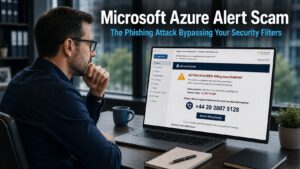
A Microsoft Azure alert scam is currently targeting businesses, and it is more convincing than most phishing attacks because it uses genuine Microsoft infrastructure to deliver its messages. The emails arrive from a real Microsoft domain, pass through standard email security tools without being flagged, and look exactly like the kind of system alerts that businesses running cloud services expect to receive. Understanding how this attack works is the most important step toward making sure your team is not caught out by it.
How the Microsoft Azure Alert Scam Works
Azure Monitor is a legitimate Microsoft tool that businesses use to track the performance of their cloud services, identify problems, and receive notifications when something needs attention. Alerts generated by Azure Monitor arrive by email and are a normal part of running cloud-based infrastructure. For businesses using Microsoft Azure, these notifications are routine and expected.
Attackers have identified a specific vulnerability in this system. Azure Monitor allows users to create custom alert rules based on defined triggers. When a trigger occurs, such as a new invoice being generated or a change in account activity, the system sends an email notification. Critically, the content of that notification can be customised by whoever sets up the alert.
Attackers exploit this by creating basic alert rules and writing their own fraudulent message within the notification. The alert might claim that unexpected charges have appeared, that suspicious activity has been detected on an account, or that the account has been suspended. The message then pushes the recipient to act urgently, typically by calling a specific phone number to resolve the issue.
The email is not spoofed. It is not pretending to come from Microsoft while actually originating somewhere else. It arrives directly from a genuine Microsoft domain, because it is genuinely being sent through Microsoft’s own infrastructure. This is precisely why standard email security tools let it through without question. There is nothing technically fraudulent about the email’s origin. The fraud lies entirely in the message it carries.
Why the Microsoft Azure Alert Scam Is Particularly Effective
The effectiveness of this attack rests on several factors working together.
First, the email passes security checks that would catch most phishing attempts. Sender verification, domain authentication, and link analysis all return clean results because the email is genuinely from Microsoft. Security tools that rely on identifying spoofed senders or suspicious domains have no mechanism to flag content that is fraudulent but technically legitimate in its delivery.
Second, the context is believable. Businesses running cloud services receive billing notifications, account alerts, and activity warnings as a matter of routine. An email claiming there is a billing issue or unusual activity does not immediately feel out of place in an inbox where similar notifications arrive regularly.
Third, the urgency is deliberate and effective. The message creates pressure to act quickly, which is the consistent mechanism across virtually all successful phishing attacks. A recipient who feels that their account is at risk or that unexpected charges are accruing is more likely to act before thinking carefully. Our article on next generation phishing covers how attackers are increasingly using sophisticated delivery mechanisms to make their scams harder to distinguish from legitimate communications.
This is not the first time attackers have used trusted platforms in this way. Similar tactics have been observed using PayPal notification systems and Google tools to deliver fraudulent messages through legitimate infrastructure. The pattern is consistent: take a service businesses already trust and use it as the delivery mechanism for the scam.
What Your Team Should Do If a Suspicious Azure Alert Arrives
The most important response to a Microsoft Azure alert scam, or any urgent notification that creates pressure to act immediately, is to pause before doing anything else. That pause is the mechanism that breaks the attack. An attacker who has manufactured urgency loses their leverage the moment the recipient stops and thinks rather than acting on instinct.
If an email arrives claiming to be an Azure alert about a billing issue, account suspension, or suspicious activity, do not call any phone number provided in the email. Do not click any links within the message. Instead, open a browser independently and navigate directly to the Microsoft Azure portal by typing the address manually. Log in through the portal and check the actual account status from there. If there is a genuine billing issue or account alert, it will be visible within the portal itself.
If the portal shows no matching alert or issue, the email was fraudulent. Report it to your IT provider so they can alert the rest of the team and monitor for further instances.
If there is any uncertainty, asking your IT provider to check the account before taking any action is always the right approach. A brief delay to verify is considerably less costly than acting on a fraudulent instruction. Our article on digital fraud protection covers the core habits that protect businesses from exactly this kind of pressure-based attack.
Who Is Most at Risk
Any business using Microsoft Azure, Microsoft 365, or connected Microsoft cloud services could receive one of these alerts. The attack is not targeted at specific individuals. Attackers send alerts to large mailing lists and allow the convincing format to do the work of selecting which recipients respond.
Staff most at risk are those who regularly handle billing, subscriptions, or IT administration, because those are the people most likely to feel a personal responsibility to act quickly when a billing or account alert arrives. A finance team member who receives what looks like a genuine Microsoft invoice alert, and who has no reason to expect this type of scam, is in exactly the position the attacker is targeting.
This is why awareness needs to reach beyond the IT team. The people most likely to be targeted in a billing-related scam are often those in finance or operational roles, not those with technical backgrounds. A brief team communication explaining that this type of scam exists and what to do if an Azure alert arrives can make a significant difference. Our article on employee cyber security covers how to build this kind of targeted awareness effectively across a business team.
The Broader Pattern: Trusted Platforms as Attack Vectors
The Microsoft Azure alert scam is a clear example of the evolution described in our article on Microsoft phishing attacks: attackers are increasingly moving away from crude impersonation toward the exploitation of legitimate infrastructure. When the delivery mechanism is genuine, the traditional advice to check for spoofed senders and suspicious domains becomes insufficient as a primary defence.
The defence that continues to work regardless of how the attack is delivered is behavioural. Pause when urgency is felt. Verify through an independent channel rather than following the instructions in the message. Never call a number provided in an unexpected alert. These habits are effective against the Azure Monitor scam for the same reason they are effective against every other pressure-based attack: they remove the moment of impulsive action that the attacker is trying to create.
What This Means For Businesses
The Microsoft Azure alert scam is active and is currently slipping past the email security filters that many businesses rely on as a primary defence. For business owners and directors, the practical response involves two steps taken in parallel.
First, make your team aware that this type of alert exists. Explain how it arrives, why it looks convincing, and what the correct response is when one lands in an inbox. For staff who handle billing or IT administration, this communication is particularly important.
Second, confirm with whoever manages your Microsoft 365 or Azure environment that legitimate Azure Monitor alerts from your own organisation are clearly identifiable and distinguishable from unsolicited ones. Understanding what your genuine alerts look like makes fraudulent ones easier to question.
Our managed IT services include Microsoft 365 security configuration and staff awareness support for businesses across Sussex and the South East, helping your team recognise and respond correctly to the evolving tactics attackers are using.
Final Thoughts
The Microsoft Azure alert scam succeeds because it uses a system your business already trusts to deliver a message your team has no particular reason to question. The content is fraudulent. The delivery is not. That combination is precisely what makes it harder to catch through technical means alone.
Awareness and the habit of pausing before acting on urgency are the defences that work when technical filters cannot. Share this with your team. Make sure they know that a convincing alert from a trusted platform is not the same as a verified problem with a real account. That distinction can prevent a great deal of unnecessary damage.
It is a phishing attack that uses Microsoft Azure Monitor to send fraudulent billing or account alert emails from a genuine Microsoft domain. Attackers create custom alert rules within Azure Monitor and write their own fraudulent message within the notification, which is then sent to mailing lists they control. Because the email arrives from a legitimate Microsoft domain, standard email security tools typically do not flag it.
Standard email security tools check for spoofed sender addresses, suspicious domains, and known malicious links. In this attack, the email is genuinely sent from a Microsoft domain through Microsoft’s own infrastructure, so none of these checks return a suspicious result. The fraud lies in the message content rather than the delivery mechanism, which is beyond what most automated email filters assess.
Pause and do not act on the instructions in the email. Do not call any phone number provided in the message. Open a browser independently, navigate directly to the Microsoft Azure portal by typing the address yourself, and check the actual account status from within the portal. If there is no matching alert or issue in the portal, the email was fraudulent. Report it to your IT provider.
Staff who handle billing, subscriptions, or IT administration are most likely to feel a responsibility to act quickly when a billing or account alert arrives. This means finance team members and operational staff are often at higher risk than those with technical IT backgrounds. Awareness needs to reach these individuals specifically, not only the IT team.
A standard phishing email typically spoofs a sender address or uses a domain that mimics a legitimate brand. The Microsoft Azure alert scam does neither. The email arrives from a genuine Microsoft domain through genuine Microsoft infrastructure. The attack relies entirely on the fraudulent content of the message rather than any technical deception in the delivery, which is what makes it harder for standard security tools to detect.


