
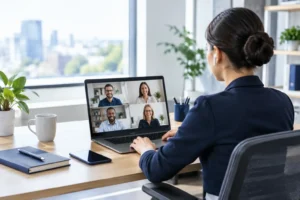
A member of staff working from home may be using the same business systems, customer records and financial information as someone in the office – but their working environment is very different. To secure remote workers properly, small businesses need more than a password policy and a reminder to be careful. They need sensible controls that protect the business without making everyday work frustrating.
Remote and hybrid working are now routine for many Sussex businesses. That can improve flexibility and recruitment, but it also expands the number of places where a cyber incident can start. A lost laptop, a convincing phishing email or an old staff account left active can all create avoidable risk. The aim is not to watch every employee. It is to make secure working the easiest way to work.
Secure remote workers by starting with the basics
The strongest security measures are often the least glamorous. Before considering new software, make sure every remote worker has a properly managed device, a unique account and a clear route to support when something looks wrong.
A company laptop is generally safer than allowing staff to use personal devices. It gives the business control over updates, encryption, security software and what happens if the device is lost. It also avoids a difficult question when an employee leaves: whether company information remains on their own computer or mobile phone.
That said, bring-your-own-device arrangements can work for some organisations, particularly where staff only need limited access to email or a web-based system. The trade-off is that policies and technical controls need to be tighter. Personal devices should not become an unmanaged route into sensitive files, payroll data or client records.
Every business should be clear about four foundations:
- Devices receive operating system and application updates promptly.
- Storage is encrypted, so information cannot be read if a laptop is lost or stolen.
- Approved anti-malware and security tools are active and monitored.
- The business can lock or wipe company data from a missing device when necessary.
These measures are not about assuming staff will do something wrong. They reduce the impact of ordinary human events: a laptop left on a train, a child using the wrong computer, or a device that has not been restarted for several weeks.
Protect access, not just passwords
Passwords alone are no longer enough for systems that hold business data. Staff can reuse them, phishing pages can capture them, and attackers can buy stolen credentials from other breaches. Multi-factor authentication, often called MFA, adds a second check such as an approval in an authenticator app. If a password is compromised, that extra step can stop an attacker getting in.
MFA should be switched on for email first, followed by cloud file storage, accounting platforms, customer relationship systems and any remote access tools. Email is especially important because it is often the reset point for other accounts. A criminal who controls an inbox can reset passwords elsewhere and impersonate a member of your team.
Access should also reflect the job someone does. An office administrator may need access to supplier invoices, while a field engineer may only need job information and their work email. Giving everyone access to every shared folder feels convenient until an account is compromised or a file is sent to the wrong place.
This is known as least-privilege access, but the principle is straightforward: give people what they need to do their work, and no more. Review permissions when roles change, and remove access promptly when someone leaves. This is one of the most valuable checks a small business can make, yet it is often missed during a busy handover.
Make remote access deliberate
If staff need to connect to office-based software or servers, avoid exposing those systems directly to the internet. Use a properly configured secure remote access solution, protected by MFA, and keep a record of who has access. Older remote desktop set-ups are a common target because they are easy to find and frequently poorly protected.
Cloud services can reduce this dependency, but they still need careful configuration. A shared folder with an open link is not a secure document management strategy. Set sharing rules, prevent unnecessary external access and check periodically which files have been shared outside the organisation.
Keep business data in business systems
Remote working often leads to information spreading across downloads folders, personal email accounts, messaging apps and USB drives. It happens because staff are trying to get a job done quickly. The result is that the business loses visibility of where important data is held and whether it is backed up.
Give staff approved places to store and share information, then make those options practical. For example, a team working on quotations should know which shared folder or system holds the current version, rather than emailing copies back and forth. A charity handling beneficiary information may need more restrictive sharing settings than a business exchanging routine marketing material.
Backups remain essential, even when files are stored in the cloud. Cloud platforms protect against some failures, but they do not automatically guarantee recovery from every deleted file, ransomware event or accidental overwrite. A good backup arrangement keeps separate, recoverable copies and is tested regularly. A backup that has never been restored is an assumption, not a recovery plan.
Train for the situations staff actually face
Security awareness works best when it is short, regular and relevant. A yearly presentation full of technical terms will not help much when someone receives a convincing message claiming to be from a director, a delivery company or Microsoft support.
Give people practical signs to look for: an unexpected login prompt, a request to change bank details, an attachment they were not expecting, or a message that creates urgency. Encourage them to pause and ask. Staff need to know that reporting a suspicious email quickly is helpful, even if it turns out to be harmless.
It also helps to agree a simple process for high-risk requests. A change to supplier bank details, a request to release a payment or an instruction to buy gift cards should be verified through a known phone number or another trusted channel. Email alone is not enough, particularly when an account may have been compromised.
Remote workers should know what to do if they lose a device, click a suspicious link or think someone has accessed their account. The right response is to report it immediately, not spend an anxious afternoon trying to fix it alone. Quick reporting gives your IT team the best chance to contain the issue.
Do not overlook home networks and mobile working
A home Wi-Fi network is not automatically unsafe, but it should be protected with a strong, unique router password and current security settings. Staff should avoid public Wi-Fi for sensitive work unless they have an approved secure connection in place. A café may be convenient, but it is not the place to access payroll, contracts or customer databases without suitable protection.
Screen privacy matters too. A remote worker in a shared house, co-working space or public area should lock their screen when stepping away and be mindful of who can see confidential information. For some roles, privacy filters and a clear-desk routine at home are proportionate safeguards. The level of control should match the sensitivity of the information involved.
Build security into everyday support
Technology policies only help if they are followed. If staff have to wait days for help, they will find workarounds. If they do not understand why a control exists, they may see it as an obstacle rather than protection. This is why responsive IT support is part of remote security, not a separate issue.
A managed IT partner can monitor devices, apply updates, check for risky activity and provide a consistent process for new starters and leavers. For businesses with an internal IT person, that support can provide additional capacity and specialist security oversight. The right arrangement depends on the size of the team, the systems in use and the type of data you handle.
My Tech Team helps businesses put these controls in place without burying owners and managers in jargon. The focus is on making technology reliable for staff while reducing the risks that could interrupt the business.
The sensible next step is to look at one real remote worker’s set-up from start to finish: their device, accounts, access, file storage and support route. It is a practical way to spot gaps before someone else does.


