
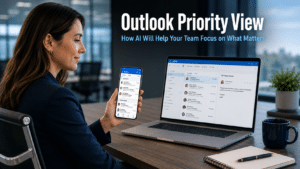
Outlook Priority View is a new AI-powered feature coming to Outlook for iOS and Android that addresses one of the most consistent frustrations in business communication. If your team spends significant time each day sorting through emails to identify what genuinely requires attention, this update is designed to remove that step automatically. Microsoft Copilot will analyse incoming email and separate the inbox into two clear categories, reducing the mental load of managing a busy email account and making it harder for important messages to go unnoticed.
What Outlook Priority View Does
Priority View uses Microsoft Copilot, the AI assistant built into Microsoft 365, to assess emails as they arrive and sort them into two distinct sections. The first is High Priority, which surfaces emails that the AI identifies as requiring the user’s attention based on content, sender, and context. The second is Needs Replies, which highlights messages that are waiting for a response from the user.
The result is a mobile inbox that no longer presents everything at the same level of urgency. Instead of a long, undifferentiated list of messages that must be read and assessed one by one, the user sees an immediate, structured view of what actually needs their focus. Everything else remains accessible but does not compete for attention in the same way.
For business owners and managers who check email on their phone throughout the day, this changes the experience of opening the inbox from a task that requires active sorting to one where the priority assessment has already been done. The most pressing messages are visible immediately, without having to scroll past newsletters, group updates, and lower-priority correspondence to find them.
Why This Matters for Business Teams
The cost of missed or delayed email responses in a business context is well understood. A client query that goes unacknowledged, a supplier message that arrives unnoticed, or an internal request that gets buried under a pile of group emails all have consequences that extend beyond the inbox itself. At the same time, the expectation of being continuously available and responsive to email creates its own pressure, particularly for smaller teams where individuals handle a wide range of responsibilities.
Outlook Priority View addresses both sides of this tension. Staff who know that important emails will be clearly flagged can manage their inbox more confidently without the anxiety of missing something critical. At the same time, the time currently spent manually triaging a busy inbox is reduced, freeing that attention for work that requires more than a scan and a sort.
For businesses in Brighton and across Sussex where team members are often client-facing and mobile, the mobile-first nature of this feature is particularly relevant. Checking email on a smartphone between meetings, at client sites, or when working remotely is common. Having a mobile inbox that intelligently prioritises its contents makes those brief check-in moments more productive and less likely to result in something important being missed.
What the Feature Requires
Outlook Priority View is currently rolling out for Outlook on iOS and Android. It is not yet available on the desktop version of Outlook, though this may follow as the feature develops.
The feature is available to businesses using Microsoft 365 with a Copilot licence. Copilot is a paid add-on to standard Microsoft 365 plans, which means businesses that have not yet subscribed to it will not have access to Priority View or the broader range of Copilot capabilities within Outlook, Teams, Word, and the rest of the Microsoft 365 suite.
The rollout is gradual, and not all Microsoft 365 Copilot subscribers will see the feature immediately. Microsoft has indicated that it may take until late 2025 for the feature to reach all eligible accounts. If it has not yet appeared in your Outlook mobile app, it is worth checking again over the coming weeks rather than assuming it is unavailable.
Our cloud management page covers how businesses can ensure their Microsoft 365 environment is properly configured to benefit from Copilot features as they become available.
The Broader Case for Microsoft Copilot in Your Business
Outlook Priority View is one application of Copilot within a growing suite of AI-powered capabilities across Microsoft 365. Copilot already assists with drafting and summarising emails in Outlook, summarising meetings in Teams, generating document outlines in Word, creating slides from documents in PowerPoint, and analysing data in Excel. Priority View adds intelligent inbox management to this expanding set of tools.
For businesses considering whether a Copilot licence represents good value, the relevant question is whether the productivity improvements across this range of applications, taken together, justify the additional cost. The answer depends on how intensively your team uses Microsoft 365 applications and which tasks consume the most time currently.
Our article on generative AI for business covers the broader landscape of how businesses are using AI tools like Copilot to improve productivity, and our article on the Microsoft Copilot PowerPoint feature covers another recent addition that demonstrates the practical time-saving available across the suite.
What This Means For Businesses
Outlook Priority View is a focused and immediately practical feature. It does not require your team to change how they work or learn a new system. It simply makes the inbox more useful by removing the sorting step that most people currently perform manually and often imperfectly.
For business owners and directors, the practical considerations are straightforward. If your business already has a Microsoft 365 Copilot licence, Priority View will arrive through a standard app update with no action required beyond keeping Outlook on iOS and Android up to date. If you do not yet have a Copilot licence, this feature is a useful addition to the list of capabilities to weigh when considering whether to add it.
Our managed IT services include Microsoft 365 licence management and Copilot configuration for businesses across Eastbourne and the wider South East, ensuring your team has access to the features available to them and is set up to benefit from them as they roll out.
Final Thoughts
Outlook Priority View solves a real and daily problem for anyone who manages a busy inbox from their phone. The feature is straightforward in concept, well targeted in its application, and arrives as part of the Copilot licence rather than requiring any additional investment.
If your business uses Microsoft 365 with Copilot, it is worth letting your team know this feature is on its way. When it arrives, it requires no setup and no adjustment in working habits. It simply makes opening the inbox on a phone a more useful and less time-consuming experience.
Outlook Priority View is an AI-powered feature for Outlook on iOS and Android that uses Microsoft Copilot to sort your inbox into two sections: High Priority, for emails requiring your attention, and Needs Replies, for messages awaiting a response from you. The aim is to make the most important emails immediately visible without requiring manual sorting.
The feature is rolling out gradually for Outlook on iOS and Android for businesses with a Microsoft 365 Copilot licence. Not all eligible accounts will see it immediately. Microsoft has indicated that rollout may continue until late 2025. Keeping the Outlook app updated on your mobile device ensures the feature reaches you as soon as it is available for your account.
The current rollout is focused on the mobile versions of Outlook for iOS and Android. The desktop version of Outlook is not included at this stage. Whether a desktop version follows is not yet confirmed by Microsoft, though it is a natural extension of the feature as it matures.
Yes. Priority View is powered by Microsoft Copilot, which is a paid add-on to standard Microsoft 365 plans. Businesses without a Copilot licence will not have access to this feature. Your IT administrator or managed IT provider can confirm whether your current subscription includes Copilot and advise on adding it if not.
Copilot assesses emails based on their content, the sender’s relationship to the recipient, the context of ongoing conversations, and other signals that indicate relevance and urgency. The AI learns from patterns over time to improve its assessments. Users can also provide feedback to help the system adjust to their specific priorities and communication patterns.


