
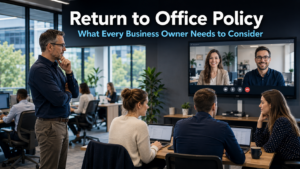
A return to office policy has become one of the most debated workplace decisions facing business owners right now. The shift to remote working during the pandemic changed expectations on both sides. Some businesses are pushing to bring everyone back. Others are committed to flexibility. Neither position is straightforwardly right or wrong. However, the decision carries real consequences that are worth understanding before you settle on an approach.
What the Research Says About Return to Office Policy
The evidence around return to office policy makes for interesting reading. Businesses that enforce strict full-time office requirements are seeing a measurable increase in staff departures. Research suggests companies with rigid return to office mandates experienced a jump of around 14% in employees leaving.
These are not easy losses to absorb. The staff most likely to leave are senior employees and highly skilled workers who have options elsewhere. Their knowledge and experience leave with them. Replacing them takes longer too, with some businesses reporting that filling these vacancies is taking significantly more time than it did previously.
The cost of recruitment adds further pressure. Advertising, interviewing, onboarding, and the time it takes a new hire to reach full productivity all carry a financial weight. For many businesses in Brighton and across Sussex, losing a valued team member to a more flexible competitor is a cost that does not always appear on a spreadsheet but is felt clearly in the business.
Flexible and hybrid working, meanwhile, has become a genuine recruitment advantage. Businesses offering a choice between home and office working are attracting a broader pool of candidates. In a competitive hiring market, this matters.
The Security Risks Your Return to Office Policy Must Address
Flexibility in working arrangements brings genuine business benefits. However, it also introduces security considerations that your return to office policy needs to account for directly.
Staff working from home or from public spaces connect to networks your business does not control. Public Wi-Fi in cafés, hotels, and co-working spaces can expose business data to risks that would not exist in a managed office environment. Our article on public Wi-Fi security risks explains how these threats work in practice.
Personal devices create a further concern. Employees using their own laptops or phones for work may be running outdated software, sharing devices with family members, or connecting through home networks with little security in place. Each of these factors increases the chance of a breach. Research consistently shows that personal devices are one of the most common routes for attackers to gain entry to business systems.
Furthermore, the blending of personal and work activity on the same device makes it harder to maintain clear boundaries around sensitive data. A home computer used by multiple people is a very different environment to a managed business device configured and monitored by your IT provider.
How to Support Flexible Working Without Compromising Security
The good news is that flexible working and strong security are not mutually exclusive. Businesses can accommodate both with the right approach.
Multi-factor authentication is one of the most effective and straightforward protections available. It requires staff to verify their identity with a second step when logging in, typically a code sent to their phone. Even if a password is stolen or guessed, an attacker cannot access the account without this second factor. Our article on strengthening your business security covers how to put this in place across your organisation.
Device management is equally important. Where possible, staff should use company-managed devices for work rather than personal equipment. These devices can be configured with the right security tools, kept updated automatically, and monitored for unusual activity. If personal devices are unavoidable, clear policies about which systems they can access and under what conditions help reduce the risk.
Staff training makes a significant difference. Remote workers who know how to recognise a phishing email, how to use a secure network, and what to do if something seems wrong are far less likely to become the cause of a breach. Our article on employee cyber security covers how to build this kind of awareness across a team.
Finding the Right Balance for Your Business
There is no universal answer to the return to office policy question. Different businesses have different cultures, different roles, and different client relationships. What works well for a professional services firm may not suit a business where collaborative in-person work drives results.
A hybrid approach, where staff split their time between home and office, is increasingly common and often practical. It preserves the benefits of in-person collaboration while giving employees the flexibility many now expect. For this to work well, the technology supporting it needs to be reliable and consistent wherever people are working from.
Microsoft 365 tools including Teams, SharePoint, and OneDrive are designed precisely for this kind of environment. They allow staff to collaborate on documents, communicate in real time, and access the files they need regardless of location. Our cloud management page covers how businesses can use these tools effectively to support flexible working.
The key decision is not simply where people work. It is whether the technology and security arrangements in place support that working pattern safely and effectively. A flexible policy without the right infrastructure creates risk. A flexible policy with the right tools in place creates opportunity.
What This Means For Businesses
A return to office policy affects more than working arrangements. It influences the people you can attract, the staff you retain, and the security posture of your business. Each of these deserves careful thought before you decide on an approach.
For business owners and directors across Sussex and the South East, the practical starting point is an honest assessment. What do your team members need to do their jobs well? What working arrangements help them do that? And what security measures need to be in place to support those arrangements safely?
Businesses that approach this thoughtfully, combining genuine flexibility with appropriate protections, tend to see stronger retention, a better recruitment position, and a more resilient security posture. Those that make the decision reactively, driven either by a blanket return to office mandate or a fully remote arrangement with no security consideration, often find the consequences emerge over time.
A managed IT provider can help you ensure the technology side of your flexible working arrangement is set up correctly. Our managed IT services support businesses across Crawley, Haywards Heath, and the wider South East in building secure, productive working environments for teams of all sizes.
Final Thoughts
A return to office policy is ultimately a business decision, not just a technology one. However, technology plays a central role in making whichever approach you choose work safely and effectively.
Whatever you decide, build security into the arrangement from the start rather than adding it on later. Flexible working with strong protections in place gives your business the best of both outcomes.
Research suggests it can. Businesses that enforce strict return to office requirements have seen measurable increases in staff departures, particularly among senior and highly skilled employees. These are often the hardest people to replace, and the process of finding and onboarding replacements takes longer and costs more than many businesses anticipate.
The most common risks involve unsecured networks, personal devices, and outdated software. Staff connecting through public Wi-Fi, using personal computers shared with family members, or working on devices that have not been recently updated create vulnerabilities that attackers can exploit. These risks are manageable with the right tools and policies in place.
Multi-factor authentication requires a second verification step when someone logs in, usually a code sent to their mobile phone. Even if an attacker obtains a staff member’s password, they cannot access the account without this second factor. It is one of the most effective protections for businesses with remote or hybrid teams.
Microsoft 365 includes tools designed for flexible working environments. Teams enables video calls, messaging, and file sharing from any location. SharePoint and OneDrive allow staff to access and collaborate on documents securely from home or the office. These tools work consistently across devices and locations, making hybrid working practical for most businesses.
Where possible, company-managed devices are preferable. These can be configured with the right security tools, monitored for unusual activity, and kept updated automatically. If personal devices are unavoidable, clear policies about what systems they can access, combined with multi-factor authentication and up-to-date software, significantly reduce the associated risk.


