
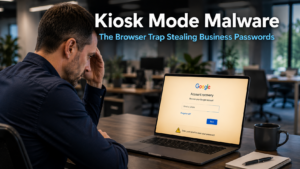
Kiosk mode malware is a growing threat that catches business users off guard precisely because it feels like a technical problem rather than an attack. Your browser suddenly fills the screen. The navigation bar disappears. You cannot close the window or navigate away. Then a familiar-looking Google login page appears, asking you to reset your password. It looks legitimate. It feels urgent. And that is exactly what the attackers are counting on.
What Kiosk Mode Malware Actually Does
Kiosk mode is a real setting used on shared public computers, such as those in libraries or airport check-in terminals. It restricts the device to a single window, removing navigation controls so users cannot browse elsewhere. Attackers behind this malware have repurposed this feature to trap unsuspecting victims.
Once the malware infects a device, it forces the browser into kiosk mode. The address bar, tab controls, and menu options all disappear. The user is left staring at a single full-screen page. That page is a convincing replica of a Google password reset screen.
The frustration is deliberate. The attacker wants the user to feel stuck and assume the only way out is to follow the instructions on screen. Typing in credentials appears to be the solution. In reality, it hands over login details to a second piece of malware running silently in the background, which captures and transmits them directly to the attacker.
This particular kiosk mode malware forms part of a broader family of threats known as Amadey, which has been active and spreading since mid-2024.
Why Kiosk Mode Malware Is Effective Against Business Teams
The attack works because it exploits a natural human response. When a computer behaves unexpectedly, most people want to resolve the issue quickly and get back to work. A locked screen with a recognisable login page looks like a system prompt, not a scam.
Furthermore, the malware deliberately disables the most obvious escape routes. Pressing Escape or F11, the usual keys to exit full screen mode, do not work once the malware has taken hold. This reinforces the false impression that the only option is to interact with the page on screen.
For businesses in Crawley and across Sussex where staff handle multiple tasks under time pressure, this kind of distraction creates exactly the conditions an attacker needs. A busy employee who encounters an unexpected browser problem is far more likely to act quickly than to pause and question what they are looking at.
How to Escape a Kiosk Mode Browser Lock
The good news is that escape is possible without entering any credentials. Your team should know these steps before an incident occurs, so the response is instinctive rather than panicked.
The first option is to press ALT and TAB simultaneously. This switches between open applications and can take focus away from the locked browser window. From there, you can close the browser through another application or via the taskbar.
If that does not work, try pressing ALT and F4 together. This forces the active window to close. It may take a moment, but it should shut down the locked browser without requiring any input on the screen.
Should neither shortcut respond, open the Task Manager by pressing CTRL, ALT, and DELETE at the same time. From the Task Manager, you can locate the browser process and end it directly. This closes the window entirely without engaging with whatever is displayed on screen.
If the device is completely unresponsive, a hard restart by holding the power button or disconnecting the power supply is the last resort. After restarting, do not reopen the browser session. Instead, flag the incident to whoever manages your IT so the device can be checked for infection.
How to Prevent Kiosk Mode Malware Reaching Your Devices
Understanding how to escape the trap is useful. Preventing it from happening is better.
Kiosk mode malware typically reaches devices through the same routes as other threats. Clicking a suspicious link in an email, downloading a file from an unverified source, or visiting a compromised website can all deliver the initial infection. Staff awareness remains the most effective first line of defence.
Train your team to treat unexpected browser behaviour as a warning sign rather than a routine technical problem. A browser that suddenly enters full screen mode without any user action is not a normal event. Recognising this as unusual and stopping to verify before typing anything can prevent a credential theft entirely.
Similarly, staff should never enter a password in response to an unexpected prompt, even on a page that looks familiar. Legitimate services do not trap users in full screen mode and demand credentials as a condition of releasing the browser. Any page that behaves this way should be treated with immediate suspicion.
Our article on employee cyber security awareness covers how to build these habits across your team effectively.
The Role of Multi-Factor Authentication
Even when an attacker successfully captures login credentials through kiosk mode malware or a similar method, multi-factor authentication creates a critical barrier. It requires a second verification step, typically a code sent to a mobile phone, before the account can be accessed.
This means a stolen password alone is not enough. The attacker cannot reach the account without the additional factor. For businesses that handle sensitive client data or rely on cloud-based systems, multi-factor authentication reduces the real-world impact of a credential theft considerably.
Our article on strengthening your business security explains how to implement multi-factor authentication across your organisation in a straightforward way.
Keeping Devices Protected Against Emerging Threats
Kiosk mode malware is part of a wider pattern. Attackers continually develop new methods to bypass awareness and exploit human behaviour. The Amadey family of threats has been evolving for some time, and variants like this one demonstrate how creative these attacks have become.
Keeping devices updated is one of the most effective technical defences available. Security patches address known vulnerabilities that malware exploits to gain entry. Devices running outdated software are significantly easier to compromise than those kept current. Our article on outdated systems and data protection covers why staying current matters across your entire technology setup.
A managed IT service handles updates automatically across all devices in your business. This removes the reliance on individual staff remembering to update their machines and ensures that new security patches reach every device consistently. Our managed IT services provide this level of oversight for businesses across Sussex and the South East.
What This Means For Businesses
Kiosk mode malware is a useful reminder that attackers do not always rely on complex technical methods. Sometimes frustration and confusion are enough. A locked screen and a familiar-looking login page can deceive even cautious users when the pressure to resolve the issue quickly overrides careful thought.
For business owners and directors, the practical response is twofold. First, make sure your team knows this type of attack exists and understands what to do if a browser locks unexpectedly. Second, confirm that multi-factor authentication is active on all business accounts so that stolen credentials cannot be used without additional verification.
Neither of these steps requires significant investment. Together, they significantly reduce the risk this type of attack presents to your business.
Final Thoughts
Kiosk mode malware succeeds by making an attack feel like a technical problem. The moment your team understands that a locked browser is a warning sign rather than a fault to fix, the attack loses most of its power.
Share these escape steps with your staff. Reinforce the habit of never entering credentials in response to an unexpected prompt. And ensure multi-factor authentication is in place across your accounts. These straightforward measures turn a potentially damaging incident into a minor inconvenience.
Kiosk mode is a legitimate setting that restricts a device to displaying a single window, commonly used on shared public computers. Attackers use it maliciously to lock a victim’s browser in full screen, hide navigation controls, and prevent easy exit. The goal is to create confusion and pressure the user into entering credentials on a fake login page.
It typically arrives through phishing emails, malicious downloads, or compromised websites. Clicking an unexpected link, opening an unverified attachment, or visiting a website that has been tampered with can all trigger the initial infection. The best prevention is staff awareness combined with up-to-date security software on all business devices.
Do not enter any credentials on the page displayed. Try pressing ALT and TAB to switch applications, ALT and F4 to close the window, or open Task Manager with CTRL, ALT, and DELETE to end the browser process. If none of these work, perform a hard restart by holding the power button. After restarting, report the incident to your IT provider for investigation.
Multi-factor authentication cannot prevent credentials from being captured, but it stops them from being used alone. Even if an attacker obtains a username and password through kiosk mode malware, they cannot access the account without the second verification factor. This significantly limits the damage a successful credential theft can cause.
Start with awareness. Make sure your team knows that a browser locking into full screen unexpectedly is a warning sign, not a routine fault. Train staff never to enter passwords in response to unexpected prompts. Keep all devices updated with current security patches. Enable multi-factor authentication on all business accounts. A managed IT provider can help implement and maintain these protections consistently across your organisation.


