Secure Passwords: How to Protect Your Business From the Inside Out
· Updated
Secure passwords are the foundation of any business security strategy, yet they remain one of the most frequently neglected areas of protection. Cyber criminals use automated tools capable of testing millions of password combinations every second. A password that feels perfectly adequate to a staff member can be cracked almost instantly. For businesses across Sussex and the South East, understanding this risk and responding to it practically is no longer optional.
Why Secure Passwords Matter More Than Most Businesses Realise
A single compromised password can open the door to your entire business. Once an attacker gains access to one account, they frequently use that foothold to explore further. They look for other systems, gather additional credentials, and expand their reach before anyone notices something is wrong.
The consequences can be significant. Data breaches expose client and financial information. Unauthorised access to accounts can result in fraudulent transactions. Reputation damage follows when clients learn their information was exposed. None of these outcomes begin with a sophisticated attack. Many start with a predictable password that took seconds to guess.
Common examples of weak passwords remain surprisingly widespread. Names combined with a birth year, the business name followed by a number, or straightforward sequences like 123456 all appear regularly in lists of the most frequently used credentials. Attackers know this and target these patterns first.
What Secure Passwords Actually Look Like
Creating secure passwords does not need to be complicated. However, it does require moving beyond the patterns most people default to.
Length is the most important factor. A password of at least 14 characters is significantly harder to crack than a shorter one, regardless of how complex the shorter password appears. Length creates an exponentially larger number of possible combinations, which makes automated guessing tools far less effective.
Mixing character types adds further protection. A combination of uppercase and lowercase letters, numbers, and symbols such as @, $ or % makes a password considerably more resistant to cracking attempts. Avoid common substitutions that attackers already account for, such as replacing the letter O with a zero or the letter A with the @ symbol.
Passphrases offer an effective alternative to single complex words. A passphrase is a short sequence of unrelated words, sometimes combined with numbers or symbols, that creates a long credential which is genuinely difficult to crack but easier for a person to remember. The randomness of the combination matters more than the complexity of any individual word.
Avoid anything personally connected to you or your business. Names, birthdays, company names, and memorable dates are among the first things an attacker tries. Similarly, avoid reusing passwords across different accounts. A breach at any one service can expose the same credential used elsewhere, giving attackers access to multiple accounts from a single theft.
Password Managers: The Practical Solution for Business Teams
One of the most common objections to secure passwords is that remembering a unique, complex credential for every system and account is simply not realistic. For most people, it genuinely is not. This is precisely where password managers provide a practical solution.
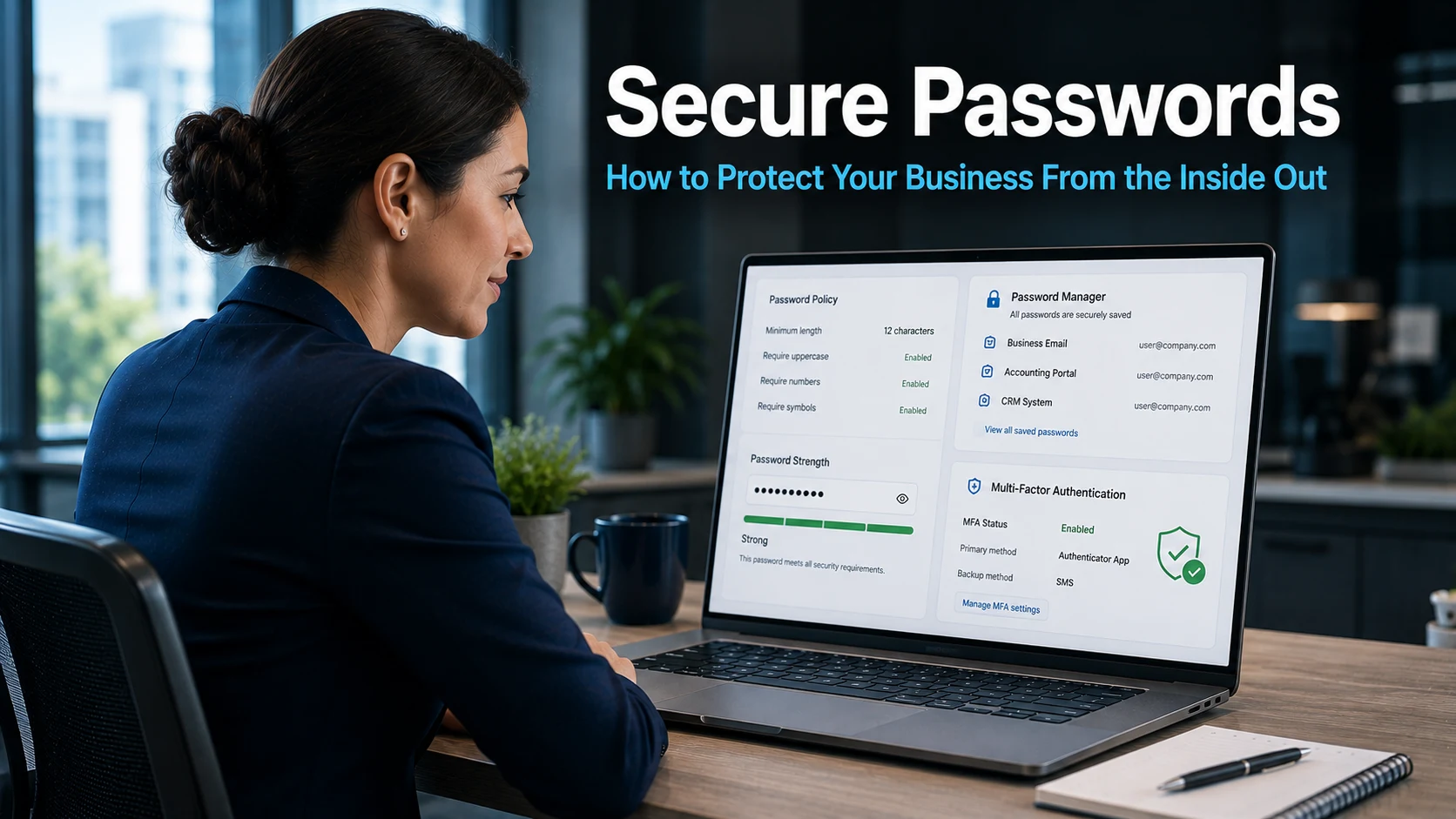
A password manager generates, stores, and fills in complex passwords automatically. Staff members do not need to remember individual passwords for each system they use. The manager handles that entirely. The only password a person needs to remember is the single master password that unlocks the manager itself.
This changes the challenge from remembering dozens of complex credentials to remembering one strong one. Password managers store credentials in an encrypted format, meaning even if the manager’s storage were somehow accessed, the passwords inside would not be readable without the master key.
For businesses deploying a password manager across a team, the security benefit is immediate and consistent. Every staff member uses strong, unique credentials for every account without any additional effort on their part. Our article on Windows Hello and secure business logins covers complementary approaches to removing the burden of password management from your team entirely.
Multi-Factor Authentication and Secure Passwords Working Together
Even the most carefully created secure password carries some residual risk. Passwords can be stolen through phishing, captured on a compromised device, or exposed in a data breach at a third-party service. This is why multi-factor authentication should work alongside strong passwords rather than replacing them.
Multi-factor authentication requires a second verification step when logging in. Typically this is a one-time code sent to a mobile phone or generated by an authentication application. Even when an attacker holds a valid password, they cannot access the account without this second factor. The stolen credential becomes far less valuable.
For business-critical systems such as email, cloud storage, and financial platforms, enabling multi-factor authentication should be considered essential rather than optional. Our article on strengthening your business security explains how to implement multi-factor authentication across your organisation in a straightforward way.
Building a Password Policy for Your Team
Individual good habits matter, but a business-wide approach is more reliable. A clear password policy sets consistent expectations across your team and reduces the chance of weak credentials slipping through because nobody thought to check.
A practical password policy covers several key areas. It specifies minimum length and complexity requirements. It requires unique passwords for each system and prohibits reuse. It makes multi-factor authentication mandatory for critical accounts. It provides guidance on using a password manager and explains why these measures exist.
The reasoning behind the policy matters as much as the rules themselves. Staff who understand why secure passwords are important are more likely to follow the guidelines carefully rather than treating them as a compliance exercise. Regular, brief training updates that connect password habits to real-world consequences help maintain that understanding over time.
Scanning for compromised credentials is also worth including. Services exist that check whether email addresses or passwords associated with your business have appeared in known data breaches. Identifying and replacing compromised credentials quickly reduces the window during which an attacker might use them.
Our article on employee cyber security covers how building good security habits across a team, including password practices, creates a stronger overall defence.
What This Means For Businesses
Secure passwords are not a technical concern reserved for IT teams. Every person in your business who uses a computer, email account, or business application has a role to play. The strength of your overall security posture depends in part on the habits of each individual user.
The investment required is modest. A business-wide password manager subscription costs relatively little and delivers consistent security improvements across every account your team uses. Adding multi-factor authentication to critical systems costs nothing on most platforms and significantly reduces the value of any stolen credentials.
For business owners and directors in Brighton and across Sussex, the practical starting point is an honest assessment of current password habits. If staff are reusing passwords, choosing predictable credentials, or storing passwords in unsecured locations, these are gaps worth addressing now rather than after an incident occurs.
Our managed IT services include security reviews and guidance on implementing password policies and authentication tools across business teams of all sizes.
Final Thoughts
Secure passwords are one of the most accessible improvements any business can make to its security. The steps involved are not complex. Length, uniqueness, a password manager, and multi-factor authentication together create a meaningfully stronger position than most businesses currently have in place.
The effort required is small compared to the cost of recovering from a breach that a stronger password policy would have prevented.
How long should a secure password be?
At least 14 characters. Longer passwords are exponentially harder to crack, regardless of complexity. If you use a passphrase, combining several unrelated words with numbers or symbols, you can create a credential that is both long and reasonably easy to remember.
What is a password manager and is it safe to use?
A password manager is an application that generates, stores, and fills in complex passwords on your behalf. Passwords are stored in encrypted form, meaning they cannot be read even if the stored data were accessed. Most reputable password managers use strong encryption standards and are considered a significant security improvement over using the same password across multiple accounts.
Why is reusing passwords across accounts dangerous?
When any service you use experiences a data breach, the credentials exposed in that breach may be tested against other services automatically. If you use the same password for multiple accounts, one breach can compromise many others. Using a unique password for every account means a breach at one service cannot be used to access others.
What is multi-factor authentication and does my business need it?
Multi-factor authentication requires a second verification step when logging in, such as a code sent to your phone. Even when an attacker has a valid password, they cannot access the account without this second factor. For business-critical systems including email, cloud storage, and financial platforms, enabling it is strongly advisable.
How do I create a password policy for my team?
A practical password policy specifies minimum password length and complexity, requires unique passwords for each account, makes multi-factor authentication mandatory for critical systems, and requires use of a password manager. It should also explain the reasoning behind each requirement so staff understand why the rules exist and follow them meaningfully rather than as a formality.