If it ain’t broke, why update Windows?
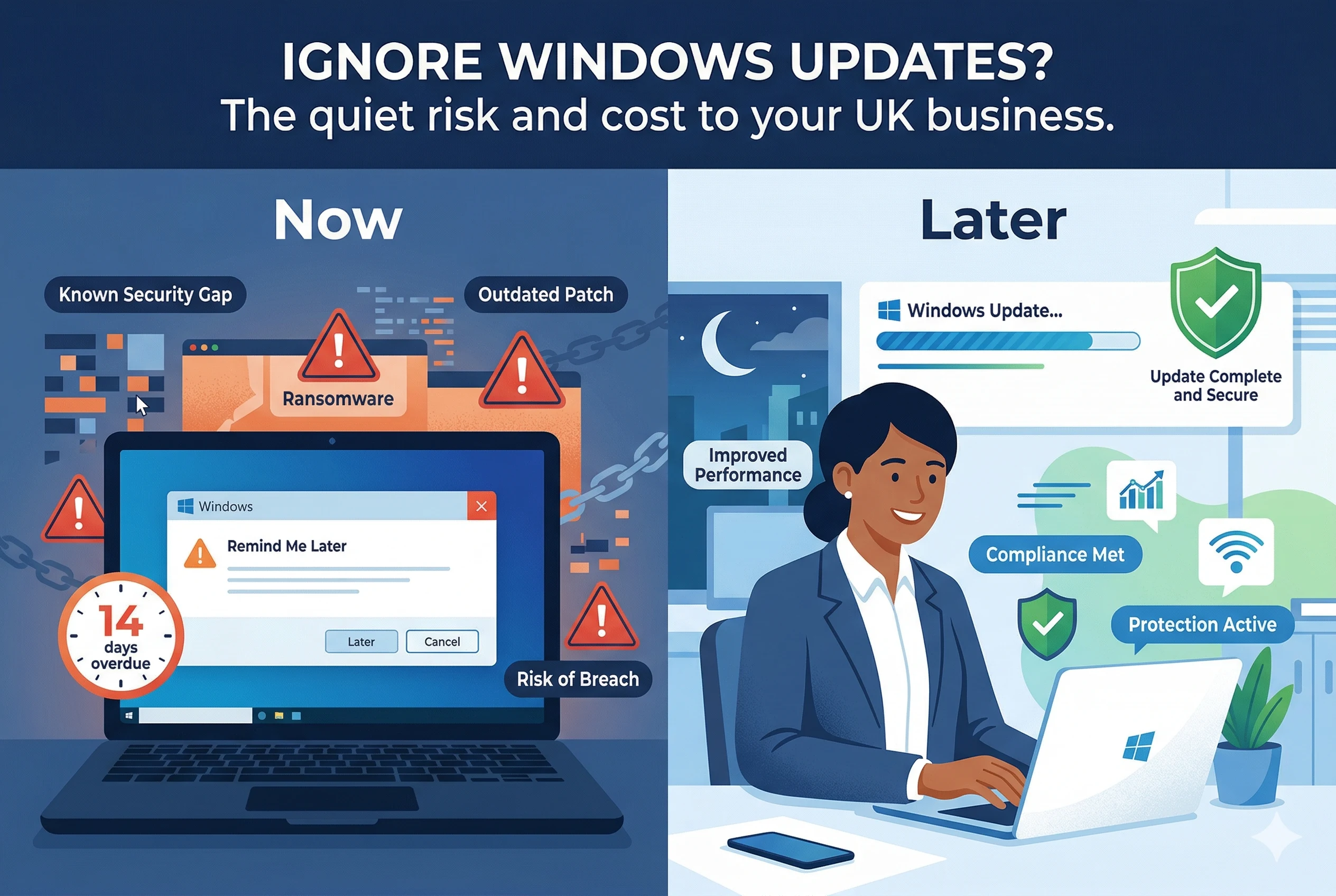
If your Windows computers seem to be running smoothly, it is very tempting to ignore those update prompts. After all, if it is not broken, why fix it?
For many UK business owners, Windows updates feel like an interruption. They appear at the worst possible moment, they can take ages to install, and sometimes they seem to change things for no obvious benefit. It is no surprise that many people click “remind me later” again and again.
However, putting off Windows updates can quietly increase risk and cost in your business. Updates are not just about new features. They are a core part of keeping your systems secure, stable and compliant.
What Windows updates actually do
Windows updates fall into a few main categories. Understanding these makes it easier to decide how to treat them.
Security updates
Security updates fix weaknesses that criminals can exploit. When Microsoft discovers or is told about a vulnerability, it creates a patch and delivers it through Windows Update.
Once that patch is released, attackers know where the weakness is. They will scan the internet looking for computers that have not yet been updated. Unpatched systems are easy targets.
For a business this can lead to:
- Ransomware encrypting your files and demanding payment
- Data theft, including customer details and financial information
- Malware using your systems to attack others, damaging your reputation
- Regulatory issues if personal data is compromised
Reliability and performance fixes
Not every update is about security. Many updates fix bugs, improve performance or resolve compatibility problems.
These updates can:
- Stop computers crashing or freezing
- Improve how quickly applications open and run
- Fix problems with printers, scanners and other devices
- Reduce odd glitches that frustrate your staff
When you delay these fixes, you may not notice the cost straight away. It shows up as time wasted, staff frustration and a sense that the technology is always a bit awkward.
New features and capabilities
Feature updates are the bigger changes that arrive a few times a year. These can bring new tools, visual changes and improvements to security and management.
While you do not need to adopt every new feature, staying reasonably up to date means you can:
- Take advantage of new productivity tools in Windows and Microsoft 365
- Use newer applications that require a current version of Windows
- Benefit from improved built in security controls
Why “it works fine now” is risky thinking
It is natural to think that if your computers are working today, you can safely ignore updates. Unfortunately, that is exactly the mindset attackers rely on.
Security gaps grow over time
Every month that passes without updates increases the number of known weaknesses in your systems. Attackers use automated tools to find and exploit these vulnerabilities at scale.
They do not target only large organisations. Small and medium businesses are often easier to breach because their systems are less tightly managed.
Software support eventually ends
Every version of Windows has a support life. When that ends, Microsoft stops releasing security updates for it.
If you are running an out of support version, such as Windows 7 or an early release of Windows 10, you are effectively stuck with whatever vulnerabilities exist today and any discovered in the future. That is a serious risk for any business that handles customer data or relies on its systems to operate.
Compatibility problems appear suddenly
You might find that a new version of your accounts package, CRM or line of business software requires a more recent version of Windows. Or a new printer or scanner does not have drivers for your older system.
At that point you may be forced into a rushed upgrade, rather than planning it on your own terms.
Common worries about Windows updates
Business owners often have good reasons for delaying updates. The key is to address those concerns sensibly, rather than ignoring updates entirely.
“Updates will break something important”
Occasionally an update can cause a problem with a specific application or device. This is why professional IT teams do not simply turn on every update immediately.
A better approach is to:
- Test updates on a small number of machines first
- Schedule updates outside business hours
- Have a rollback plan in case something goes wrong
With proper planning, the risk of disruption is much lower than the risk of staying unpatched.
“Updates take too long and disrupt the team”
It is true that some updates, especially major feature updates, can take a while. There are ways to minimise the impact:
- Download updates in the background during the day, then install them after hours
- Stagger updates so not every machine restarts at the same time
- Use power settings that allow updates to install overnight
With the right configuration, most of the update process can happen when nobody is using the computer.
“We do not have time to manage all this”
Manually updating each computer and dealing with issues as they arise is time consuming. That is where a managed approach, often with support from a partner like My Tech Team, makes a big difference.
What a sensible Windows update strategy looks like
You do not need to accept constant disruption to stay secure. A well planned update strategy balances safety, stability and convenience.
1. Know what you have
Start with an inventory of your computers, laptops and servers. Note which versions of Windows they run and whether those versions are still supported.
This helps you identify any urgent upgrade needs and plan a timeline for older devices.
2. Separate security updates from feature updates
Security updates should be treated as high priority. In most cases they should be installed within days or weeks of release, not months.
Feature updates can be delayed slightly while you test them. Many businesses choose to be one or two versions behind the very latest feature release, while staying fully up to date with security patches.
3. Test before wide rollout
Choose a small group of machines, perhaps in your own office or with a few willing staff, to receive updates first. Monitor these for any issues.
If all is well after a short period, roll the updates out to the rest of the business.
4. Automate wherever possible
Modern tools allow IT teams to manage updates centrally. They can:
- Approve or block specific updates
- Schedule installation times
- Check which machines are up to date
- Report on compliance for audits and insurers
This reduces manual effort and ensures nothing is missed.
5. Communicate with your team
Let staff know when updates are planned and what to expect. Encourage them to save work regularly and leave machines on at the end of the day when updates are scheduled.
Clear communication turns updates from an annoyance into a normal part of keeping the business safe.
How My Tech Team can help
If you do not have an in house IT department, staying on top of Windows updates can feel overwhelming. My Tech Team works with UK businesses to take this burden away while keeping systems secure and reliable.
We can:
- Audit your current Windows versions and highlight any urgent risks
- Design an update policy that suits your business hours and risk profile
- Test updates on pilot machines before wider deployment
- Automate and monitor updates across all your devices
- Handle any issues that arise after an update, so your team is not stuck
- Plan and manage upgrades from out of support Windows versions
Our goal is simple: keep your systems secure and up to date without disrupting your day to day operations.
Next steps for your business
If you have been clicking “remind me later” on Windows updates, now is a good time to review your approach. Ask yourself:
- Do we know which versions of Windows we are running?
- Are we still receiving security updates on all devices?
- Who is responsible for managing updates and checking they have installed?
- Do we have a plan if an update causes a problem?
If the answers are unclear, you are not alone. Many businesses are in the same position. The important thing is to take action before an incident forces your hand.
My Tech Team can help you put a sensible, low stress Windows update strategy in place. That way you get the benefits of security and stability, without the headaches.
If you would like to talk through your current setup and options, get in touch with My Tech Team for a straightforward conversation in plain English.